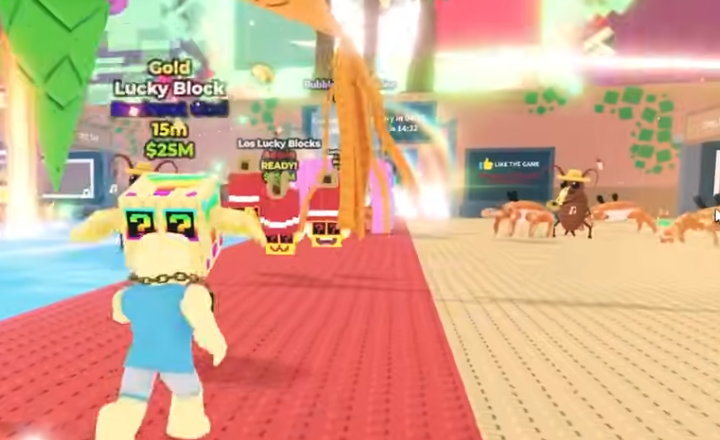
If you’ve been hanging around the Roblox community lately, especially inside the Steal A Brainrot scene, you’ve probably seen players talk about hacks, shortcuts, or quick methods to progress. But let’s be honest: anything that claims to be a hack almost always comes with serious risks. Since the player base for this game leans pretty young, it’s extra important to understand what’s safe, what’s not, and how to avoid getting your account or your device in trouble.
This guide won’t teach you how to hack. Instead, it focuses on staying safe, spotting scams, and knowing the smarter ways to play without putting yourself or your Roblox account at risk.
Why Hack Safety Actually Matters
A lot of new players assume hack files or scripts are harmless. But most of the time, these tools cause way more damage than any in-game benefit they promise. I’ve seen players lose whole accounts, get locked out of Roblox, or even have their devices flooded with junk programs. And the worst part is that recovering from this mess often takes longer than simply learning the game normally.
Even if a so-called hack looks legit, there’s no guarantee it hasn’t been modified by someone to steal your account info or load hidden malware. Once it’s installed, it’s very hard to undo.
Avoid Downloadable Tools and “Quick Fix” Scripts
The biggest rule is simple: if something asks you to download a file or run a script, you should already be suspicious. Steal A Brainrot is meant to be played without any external programs, and Roblox itself does not support third-party executable tools of any kind.
A lot of players get tricked because the scams look pretty convincing. Sometimes they imitate well-known community names, or say things like this version has been tested by pros. Don’t fall for it. No real creator or experienced player will ever tell you to install random files.
Keep Your Account Protected in Every Situation
If a website or app ever asks for your Roblox login, that’s your sign to leave immediately. This includes fake generators, gift pages, and “progress boosters.” None of these things need your password to function because none of them actually work.
I’ve also run into cases where new players try to buy brainrots roblox items from unofficial sources without realizing that the sellers are only fishing for their account details. As tempting as quick access sounds, anything tied to a third-party login is almost always a trap.
Understand the Difference Between Real Trading and Unsafe Offers
In-game trading or community markets can be fine as long as you stay inside official systems or trusted environments. Some players like using long-standing platforms that have been in the Roblox trading community for years. When I first tried expanding my collection, experienced players recommended sticking to well-known places rather than random social media sellers, because the latter disappear way too often.
If you’re looking for a trusted Brainrots store, just remember that reputation matters more than low prices. Consistency, community presence, and clear communication usually mean the store has been around long enough to avoid shady behavior. Meanwhile, those pop-up sellers appearing only for a day or two usually go silent the moment they get what they want.
Be Cautious About Third-Party Marketplaces
It’s easy to assume all stores are the same, but they’re not. Some players talk about services like U4GM because they’re familiar names across several gaming communities, and they at least tend to focus on safe trading practices instead of promoting hacks. Still, even then, I always check user feedback, trading history, and whether the community considers it reputable. Your own awareness and caution are always the final line of defense.
Don’t Share Personal Information Ever
This one feels obvious but is still the most common mistake I see. Scammers pretending to offer hacks might ask for email addresses, birthdays, personal accounts, or even screenshots of your settings. Basically, if they ask for anything personal, it’s because they plan to use it.
Even something as simple as showing your user settings page can reveal more than you think, so keep your info locked down and never share screenshots of sensitive menus.
Use Official Features Instead of Risks
Roblox gives players plenty of built-in safety settings: account restrictions, PIN locks, device verification, and more. Turning these on won’t ruin your experience. If anything, they make you feel more confident when exploring new servers or dealing with trades.
And for Steal A Brainrot specifically, learning the game systems properly ends up being way more satisfying than trying shortcuts. The more you understand enemy patterns, timing, and upgrades, the less you’ll feel tempted to look for risky “boosts.”
Community Tips for Staying Safe
Here are a few quick habits many experienced players (including me) follow:
-
If someone you don’t know sends you a “hack,” just ignore it. Ninety percent of the time, that’s a scam.
-
If a deal feels too good to be true, it probably is.
-
If a player pressures you into clicking a link, just walk away.
-
Keep your account protected with 2-step verification. It saves players constantly.
-
Double-check before making any purchase or trade. Even one minute of checking can save your entire account.
These habits sound simple, but they’re exactly what help you avoid most problems.
Steal A Brainrot is already chaotic and fun on its own. You don’t need hacks, and you definitely don’t need risky tools that could wipe your account or damage your device. Once you understand the game systems and stay alert about the dangers surrounding fake hacks, you’ll have a much better time.
Top Insight: When Is the Steal a Brainrot Update Time? (Magma Event Release Schedule)

 English
 Arabic
 French
 Spanish
 Portuguese
 Deutsch
 Turkish
 Dutch
Dutch
 Russian
 Romaian
 Portuguese (Brazil)
 Greek
Greek